
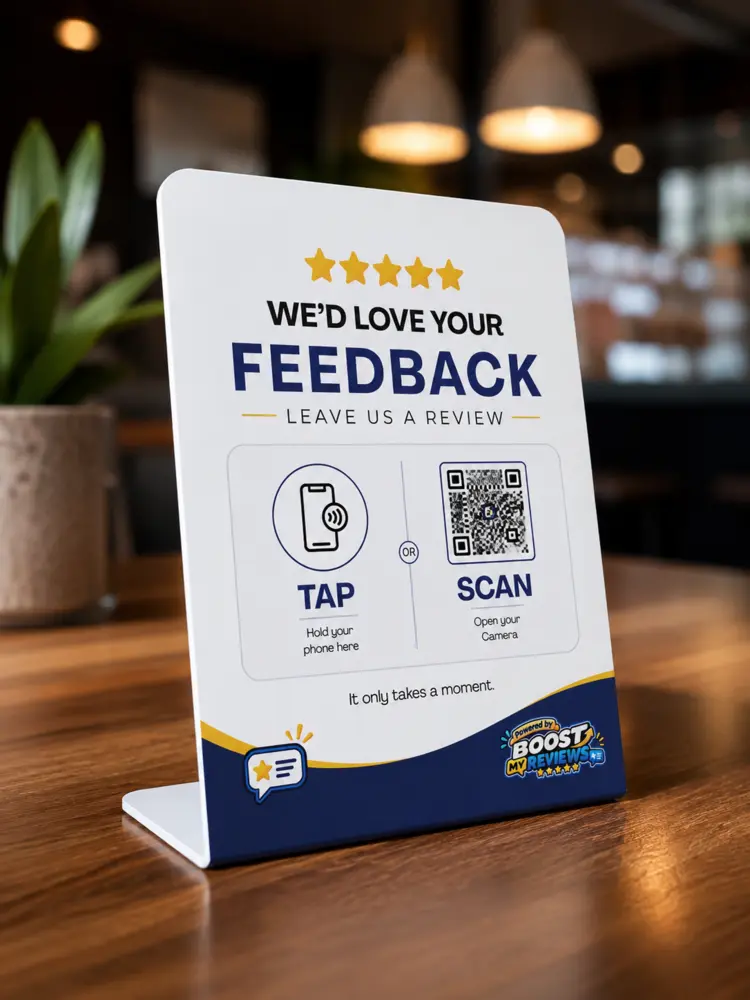
NFC review products turn an in-person customer moment into a simple digital action. A customer taps the product with a compatible phone—or scans its QR code—and is taken directly to the review destination chosen by the business.
There is no app for the customer to install. Used at the right moment, tap-to-review removes the awkward search for your business listing and makes leaving feedback much easier.
What is NFC?
NFC stands for Near Field Communication. It is the short-range technology used for familiar actions such as contactless payments and digital access cards.
Inside an NFC review card, sticker or counter stand is a small chip programmed with a web address. When a compatible phone comes close to the NFC area, the phone displays a notification that opens the link.
What happens when a customer taps?
The experience usually takes only a few steps. The customer holds their phone near the marked tap area, opens the notification and follows the page to leave feedback or choose a review platform.
The accompanying QR code provides a reliable alternative. Customers can open their camera, point it at the code and tap the link that appears.
- Tap the NFC area or scan the QR code
- Open the on-screen link
- Choose the relevant review destination
- Write and submit an honest review
Where NFC review products work best
Place the product where a satisfied customer naturally pauses and where a team member can comfortably mention it. Visibility is important, but context is more important than covering every surface.
- Counter stands at reception, checkout or service desks
- Table stickers in cafés, restaurants and waiting areas
- Review cards at job completion, handover or delivery
- A team member’s card for mobile and on-site services
Choose the right product for the customer journey
A counter stand is easy to notice and works well in a fixed location. A table sticker keeps the prompt close to the customer during a visit. A review card is portable and useful for trades, real estate, sales teams and other services completed away from a counter.
Many businesses use a combination: a permanent counter product plus cards for team members. The design and wording should make both tap and scan options immediately clear.
Can the destination be changed later?
When the NFC product uses a managed or dynamic destination, the final link can be updated without replacing the physical product. That is useful if you change review platforms, locations or campaign pages.
Before ordering, confirm whether the product uses a fixed link or a managed link. Also test both the NFC tap and QR scan before placing products in front of customers.
Make the request feel natural
The product makes the action easier, but a friendly invitation still helps. Train the team to ask after the service has been completed, not before the customer has experienced the result.
Try: “If you have a moment, you can tap or scan here to share honest feedback. It really helps our team.” Keep the request optional and never offer a reward for a favourable rating.
Track performance and improve placement
Managed QR and NFC links can help you understand which product or location receives the most engagement. If a stand has very few taps, try moving it closer to the payment or handover point and make sure staff know when to mention it.
Track engagement alongside new review volume. The strongest setup combines a visible physical prompt, a natural verbal request and follow-up by SMS or email when appropriate.
NFC and QR products reduce the effort between a positive customer experience and an honest review. Place them at the right moment, make the request natural and use tracking to learn which touchpoints perform best.